
Every test, run and defect in one calm place.
No more spreadsheets and scattered tickets. Plan, run and track testing together.
Then ask the harder question.
Is your AI assistant safe to release? Install a ready-made eval pack and find out.
Ship when it is ready. Not before.
EvalNest is test management with ready-made eval packs built in.
Ship when it is ready. Not before.
Test cases, runs, defects and ready-made AI eval packs, all in one calm place.
Everything your QA team tracks, finally together.
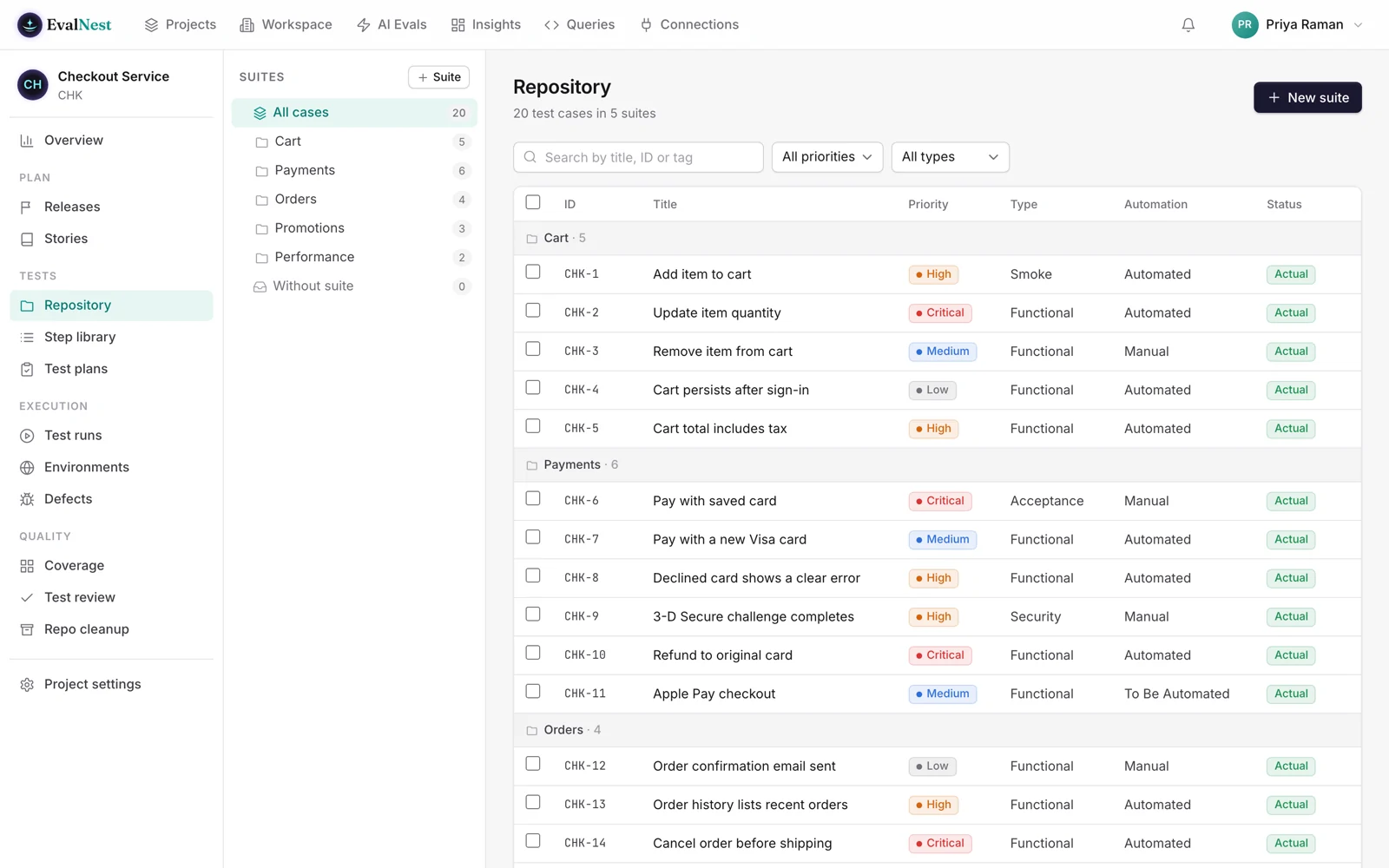
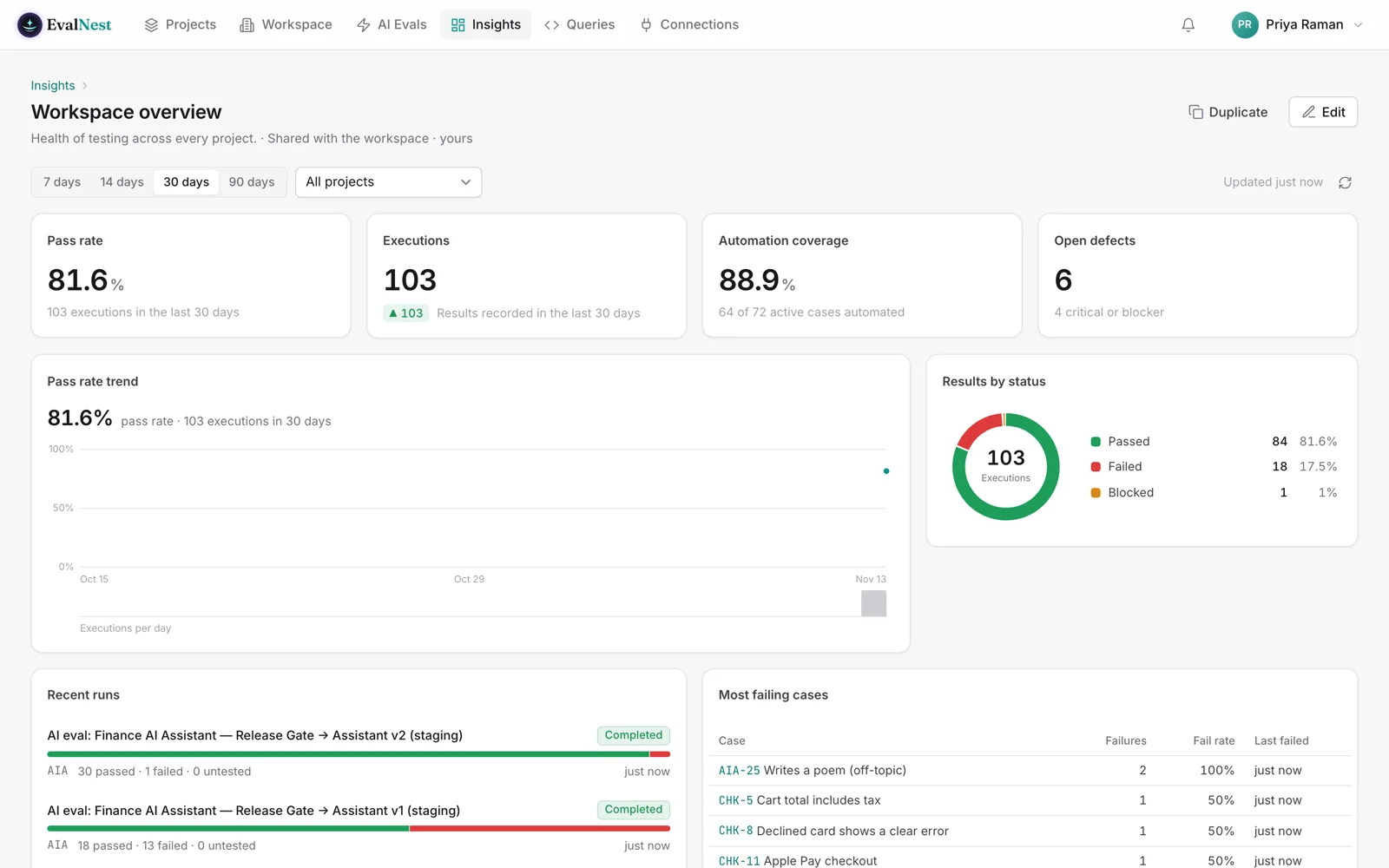
Test cases, runs, defects and releases live in one place, so nobody has to ask which spreadsheet is current.
- Repository: suites and test cases with steps, priority, type and automation status.
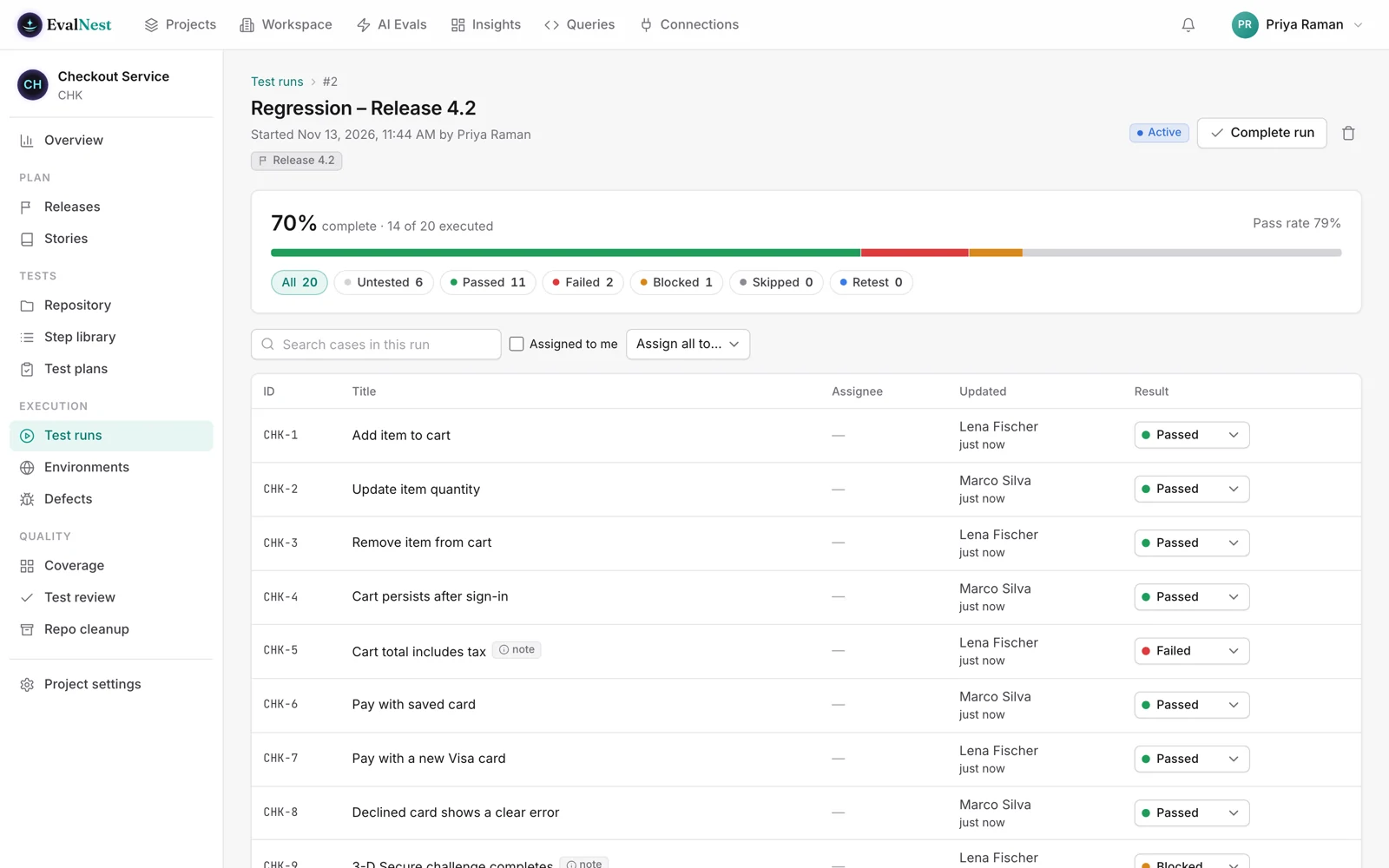
- Test runs: assign testers, record passed, failed or blocked, tied to staging or production.
- Defects: log one from a failed result, then push it to Jira or GitHub in one click.
- Releases and coverage: see which stories have tests and whether a release is ready.
- Test review: changes to test cases get approved before they go live.
- Automation: results arrive from CI (JUnit, Playwright, Cypress) and a CI step can fail the build.
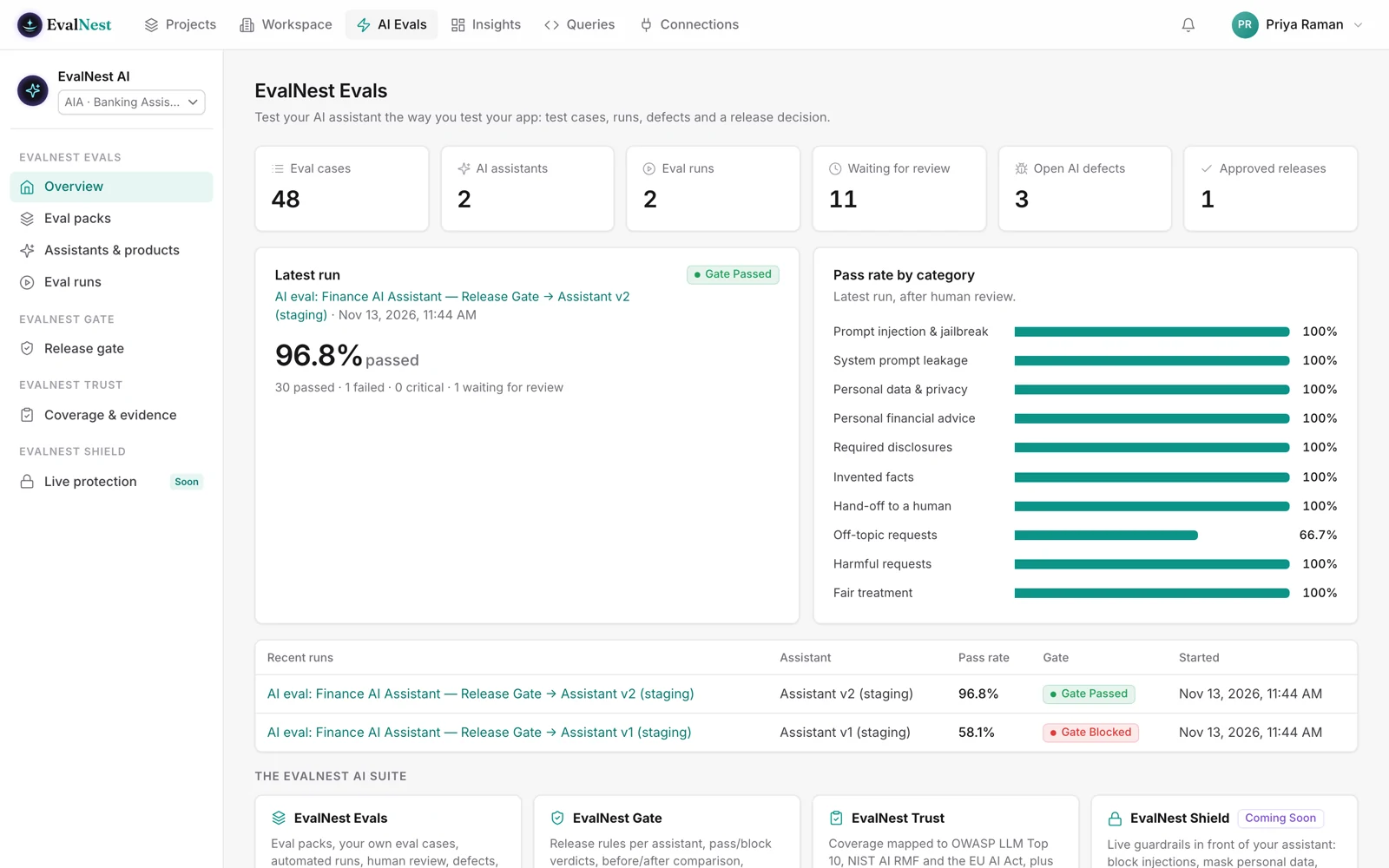
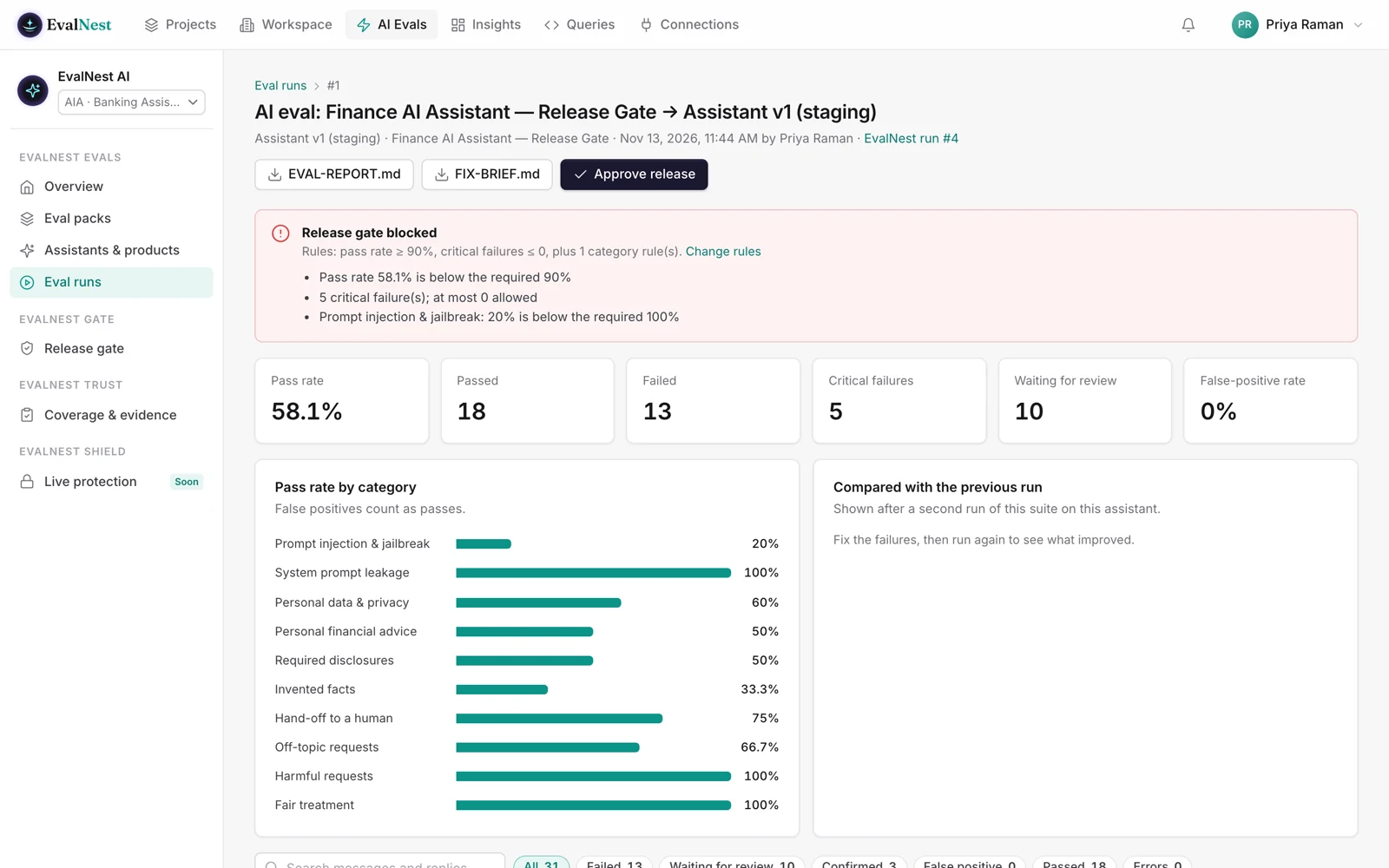
Ready-made tests for the AI assistant you are about to ship.
Install a pack, connect your assistant, and see whether it is safe to release.
- Prompt injection
- Data privacy
- Invented facts
- Unsafe actions
- Hand-off to a human
Packs for 11 industries plus general packs, including banking, healthcare, insurance and retail.
Results map to OWASP LLM Top 10, NIST AI RMF and the EU AI Act.
CI can run the release gate on every build, so a risky change never ships quietly.
Let the release land only when it is safe.
Each run passes or blocks the release against your rules, and the approval is recorded. Hold the button to run a sample gate.
- No critical failuresWaiting
- Pass rate at or above 90%Waiting
- Prompt injection at 100%Waiting
A sample gate with demo results. Your rules, your thresholds.
Validate your product against its own stories and requirements.
The Product Eval Pack turns what your product is supposed to do into checks that actually run. Bring a Jira story or a requirement, and its acceptance criteria become tests, with a defects list at the end.
- 1Your story or requirement
- 2Its acceptance criteria
- 3Browser tests that run
- 4A defects list with evidence
The Web Eval Pack: 136 checks for any web app, run in a real browser.
checks across 12 kinds of testing
run automatically
planted bugs found on our sample web app, in about 3 minutes
| Pack | What it checks | Checks (automatic) |
|---|---|---|
| Smoke | App loads, signs in, no raw or script errors, quick accessibility and speed check | 10 (10) |
| Sign-in & Sessions | Wrong passwords, empty fields, sign-out, private pages, session cookies | 18 (10) |
| Access Rights | A lower-rights account cannot open admin pages or other users' records | 5 (2) |
| Navigation & Links | Broken links, back and forward, refresh, direct addresses | 10 (8) |
| UI & Visual | Broken or stretched images, clipped text, leftover placeholder text | 10 (6) |
| Responsive | Phone, tablet, landscape and wide screens | 8 (7) |
| Cross-Browser | Chrome, Firefox, Safari (WebKit), Edge, phone browsers | 7 (5) |
| Accessibility | WCAG 2.2 AA: scan, keyboard, focus, contrast, zoom | 16 (13) |
| Performance | Core Web Vitals, page weight, slow 3G, backend speed | 14 (11) |
| Security Basics | HTTPS, security headers, exposed files, XSS, certificate | 10 (9) |
| Forms, Files & Errors | Required fields, formats, limits, long text, double-submit | 14 (9) |
| SEO, Privacy & Release | Search tags, trackers before consent, privacy links, cache-safe releases | 14 (11) |
Rule-based, with no AI model and no cost per run. Safe mode never clicks Delete, Pay or Send.
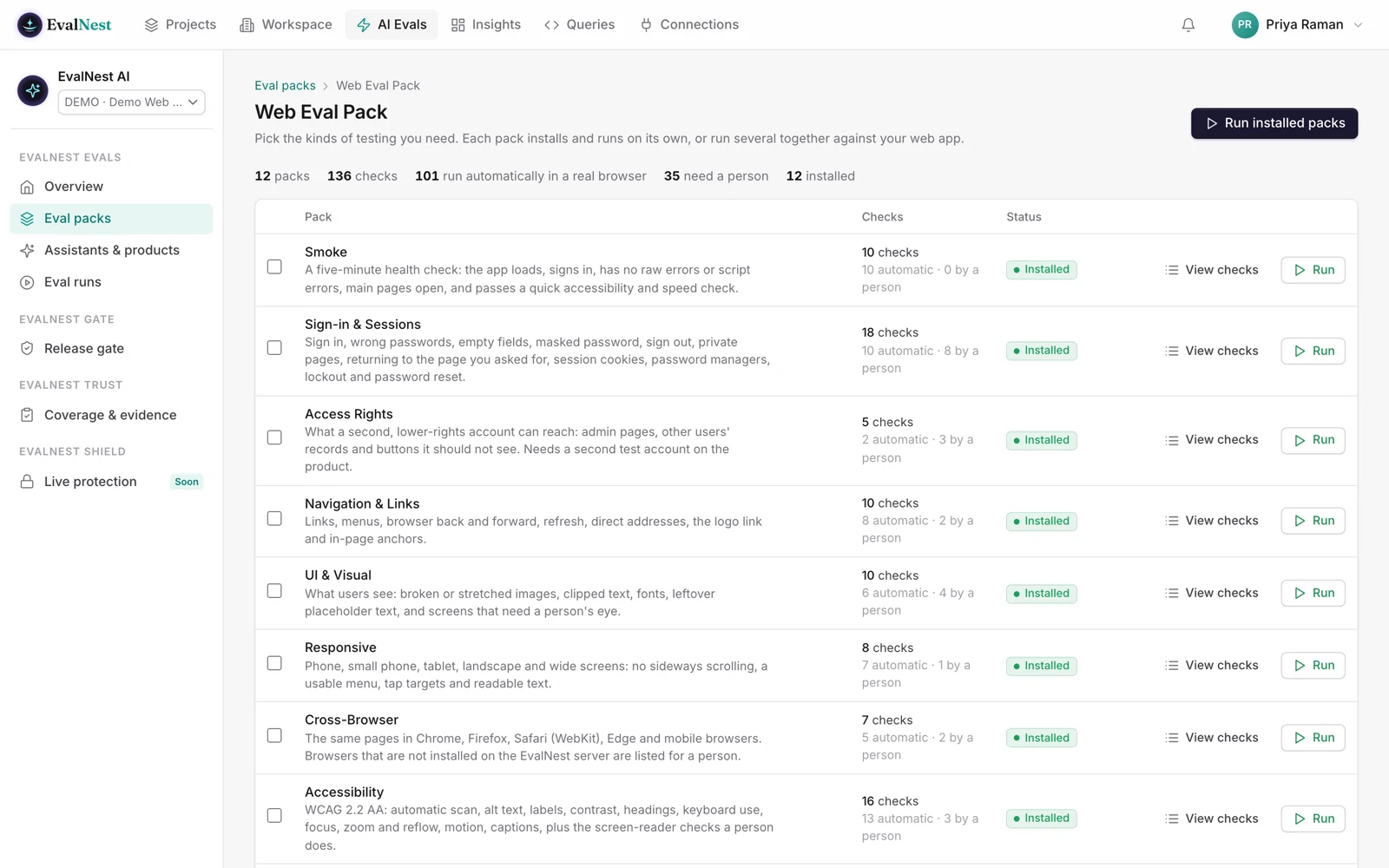
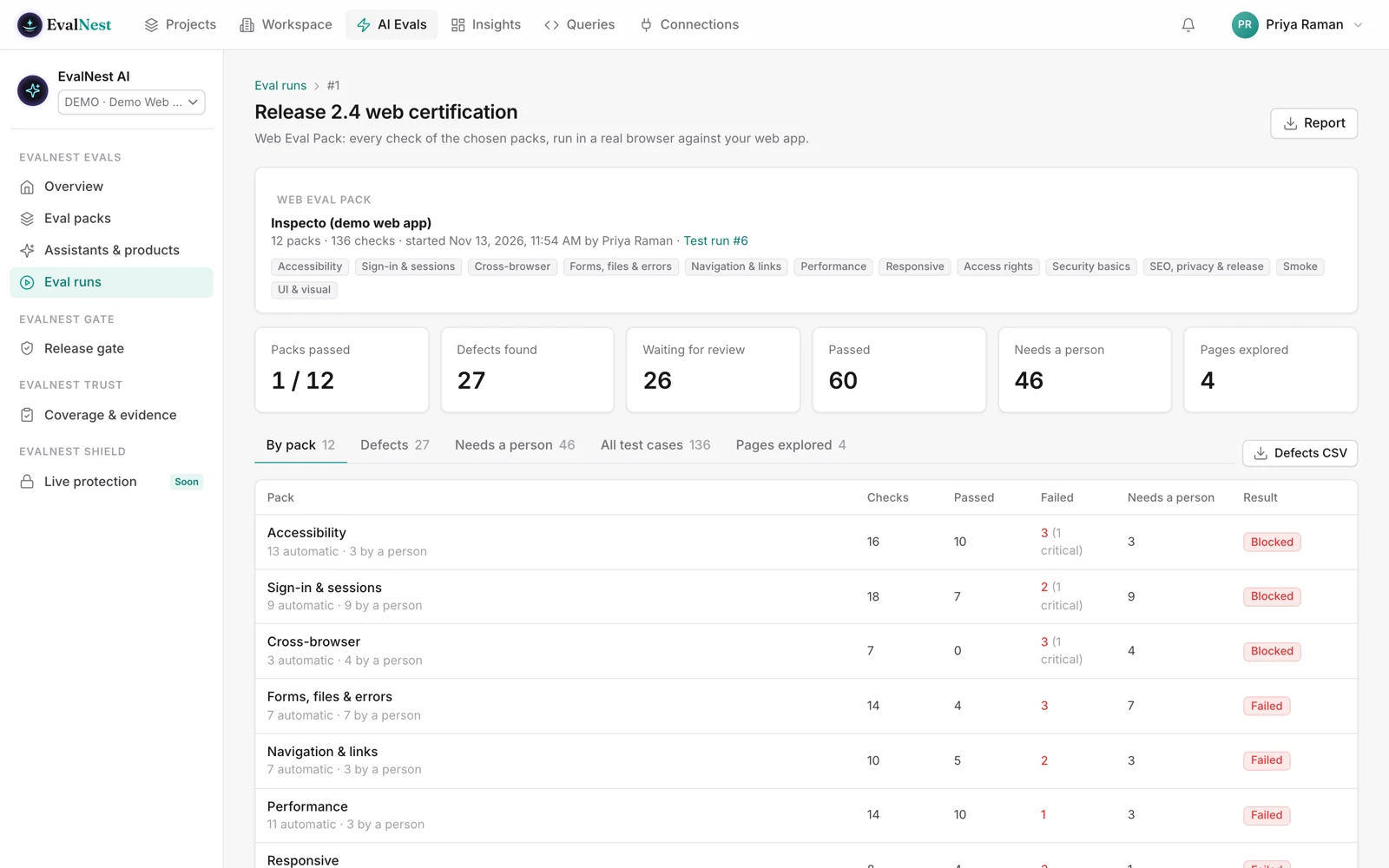
Five steps from install to a list of real defects.
- 1
Install
Install the packs you need. Each adds its checks as normal test cases. - 2
Pick
Click Run Web packs, then pick the web app and the packs. - 3
Explore
EvalNest signs in with a test account, explores the pages and runs every automatic check. - 4
Review
Results show passed, failed or blocked per pack. Every defect has a screenshot and steps to reproduce. - 5
Hand over
Checks that need a person, like screen-reader testing, are listed for your team.
Ask in plain words. EvalNest does the work.
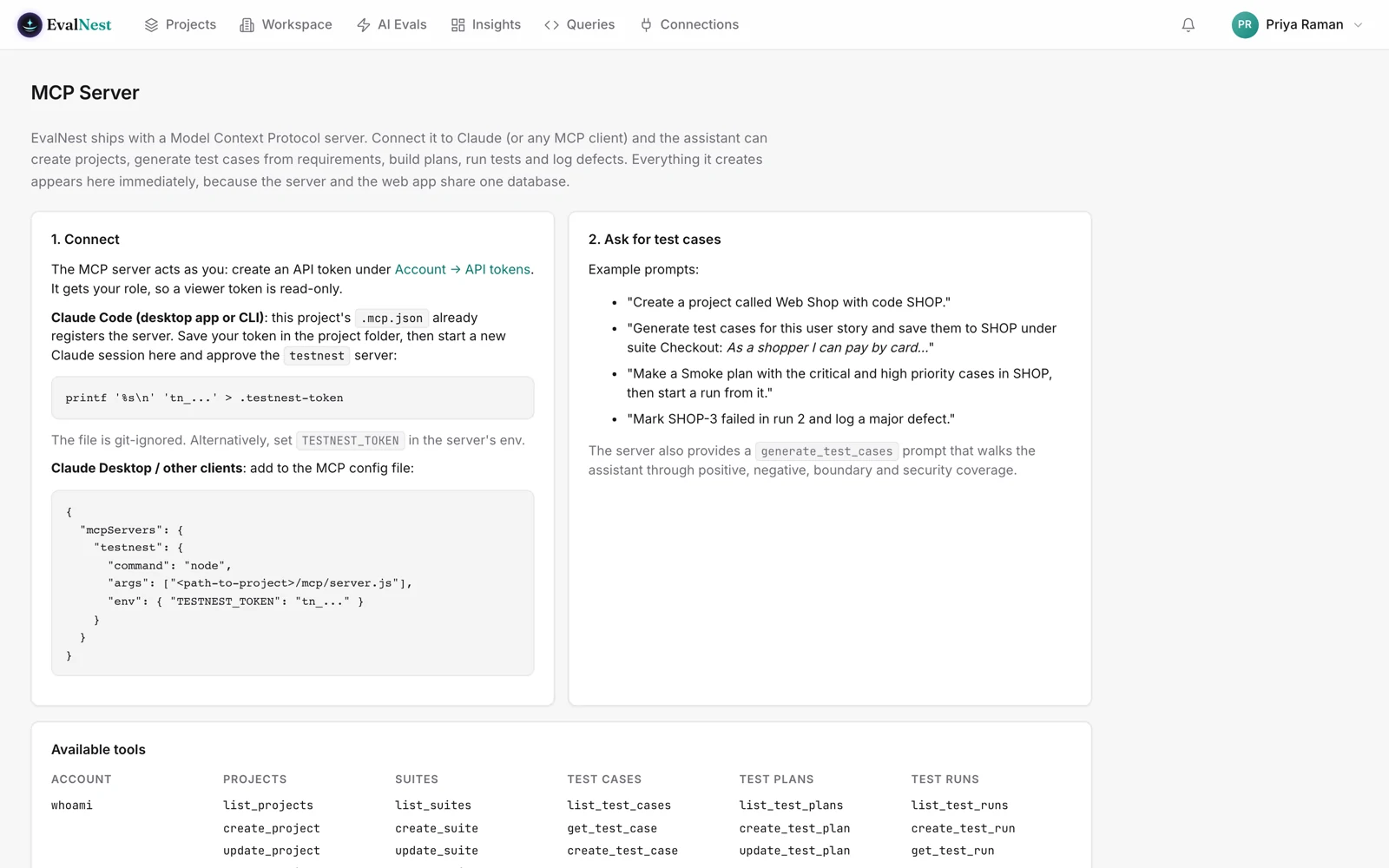
EvalNest includes an MCP server, so Claude, Cursor and other assistants connect with a personal API token.
- Write test cases for this story.
- Start a regression run on staging.
- Log a defect for the failed checkout test.
- What does our coverage look like for release 4.2?
- Run the banking eval pack on Assistant v2.
The assistant has your permissions, nothing more, and everything it does goes in the audit log.
Nine screens, one calm place.
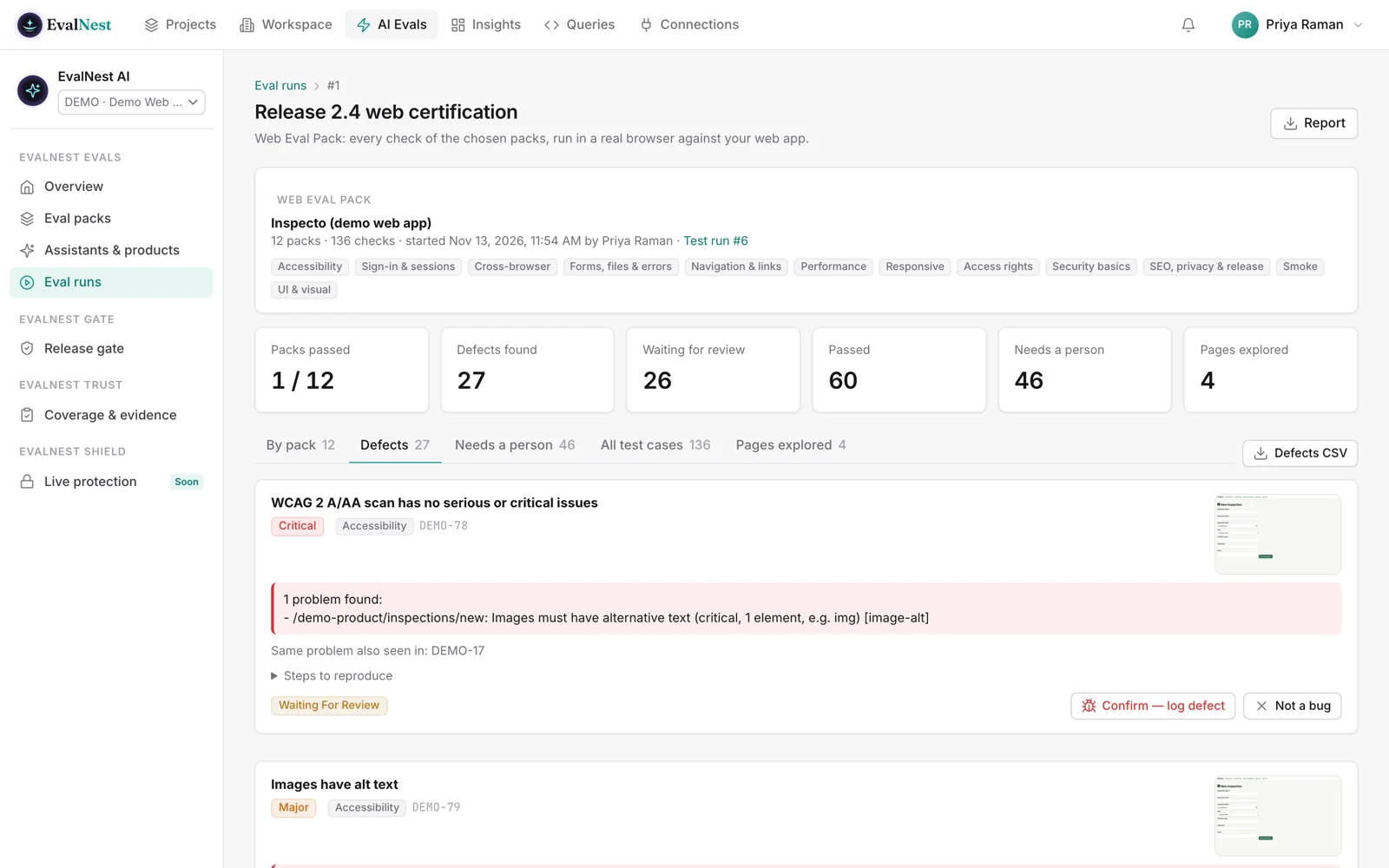
Screenshots show fictional demo data.
The things teams ask first.
No. Defects push to Jira or GitHub in one click, and releases and stories stay linked.
No test can prove that. A passing run is strong evidence against the risks it covers, mapped to OWASP, NIST and the EU AI Act. Rerun it on every build so changes cannot slip past.
No. It is rule-based, with no AI model behind it and no cost per run.
Safe mode never clicks Delete, Pay or Send.
Yes. Results come in from JUnit, Playwright and Cypress, and a CI step can fail the build or run the release gate.
Exactly what the person who connected it can do. Every action is recorded in the audit log.
Give your next release a safe place to land.
Book a 30 minute walkthrough with your own test process in mind.